V2Mac

A native macOS client for Xray-core.

VLESS, REALITY, Hysteria2, Trojan and Shadowsocks in a fast SwiftUI menu bar app. No Electron, no telemetry.

Version 1.6.0 · 28 MB · macOS 26+ · Apple Silicon

Meet V2Mac.

The V2Mac app icon

Paste one link.

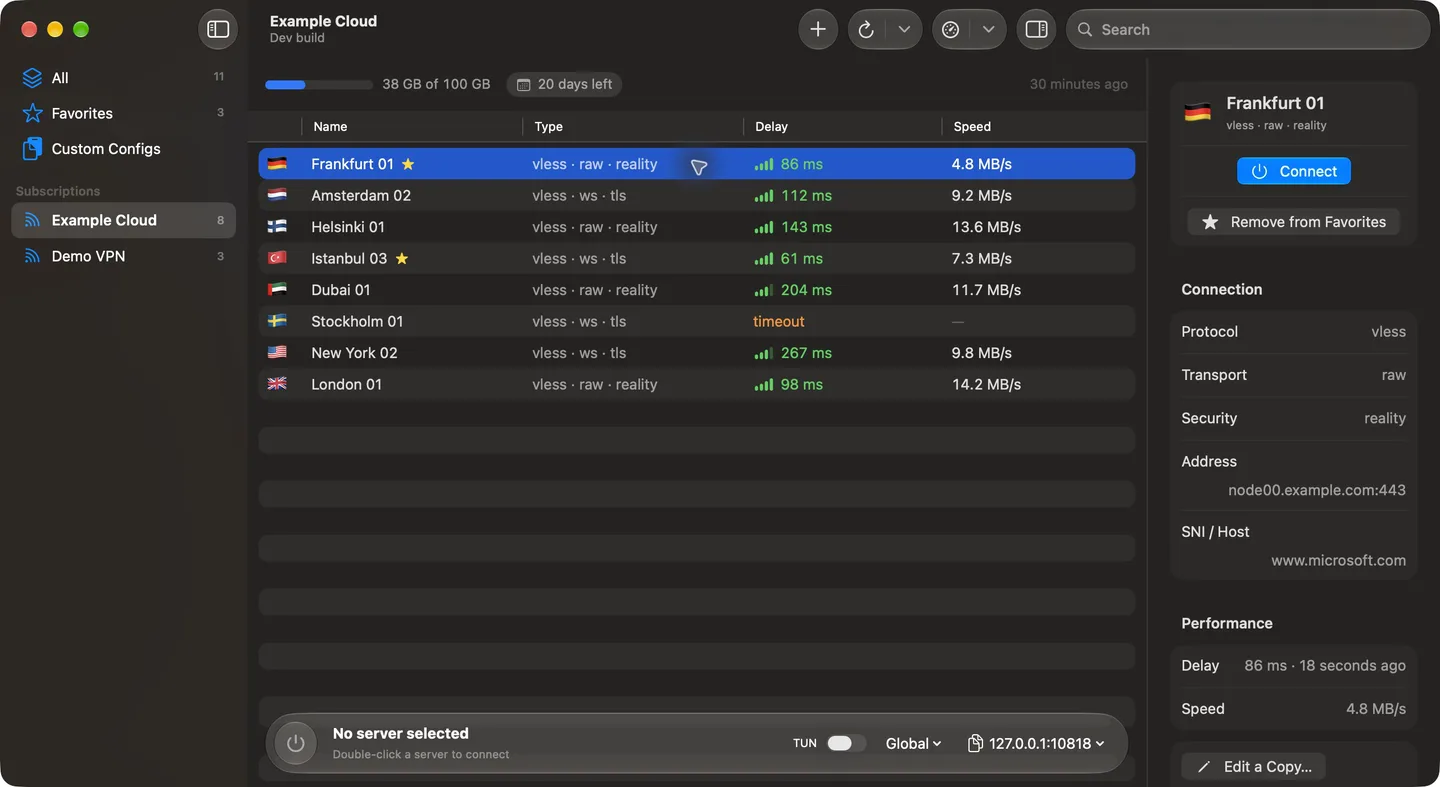
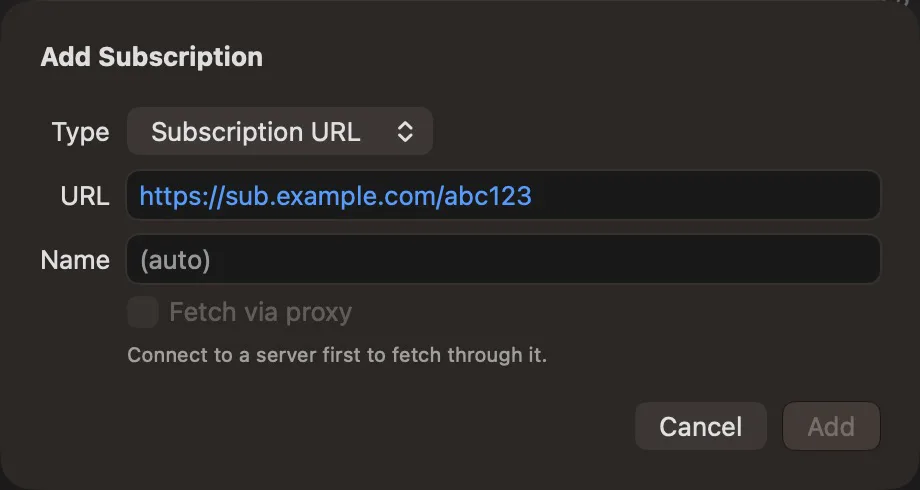
Add your subscription and every server appears, grouped and ready.

Fastest in green.

Test every server at once and see delay and speed side by side.

Your rules.

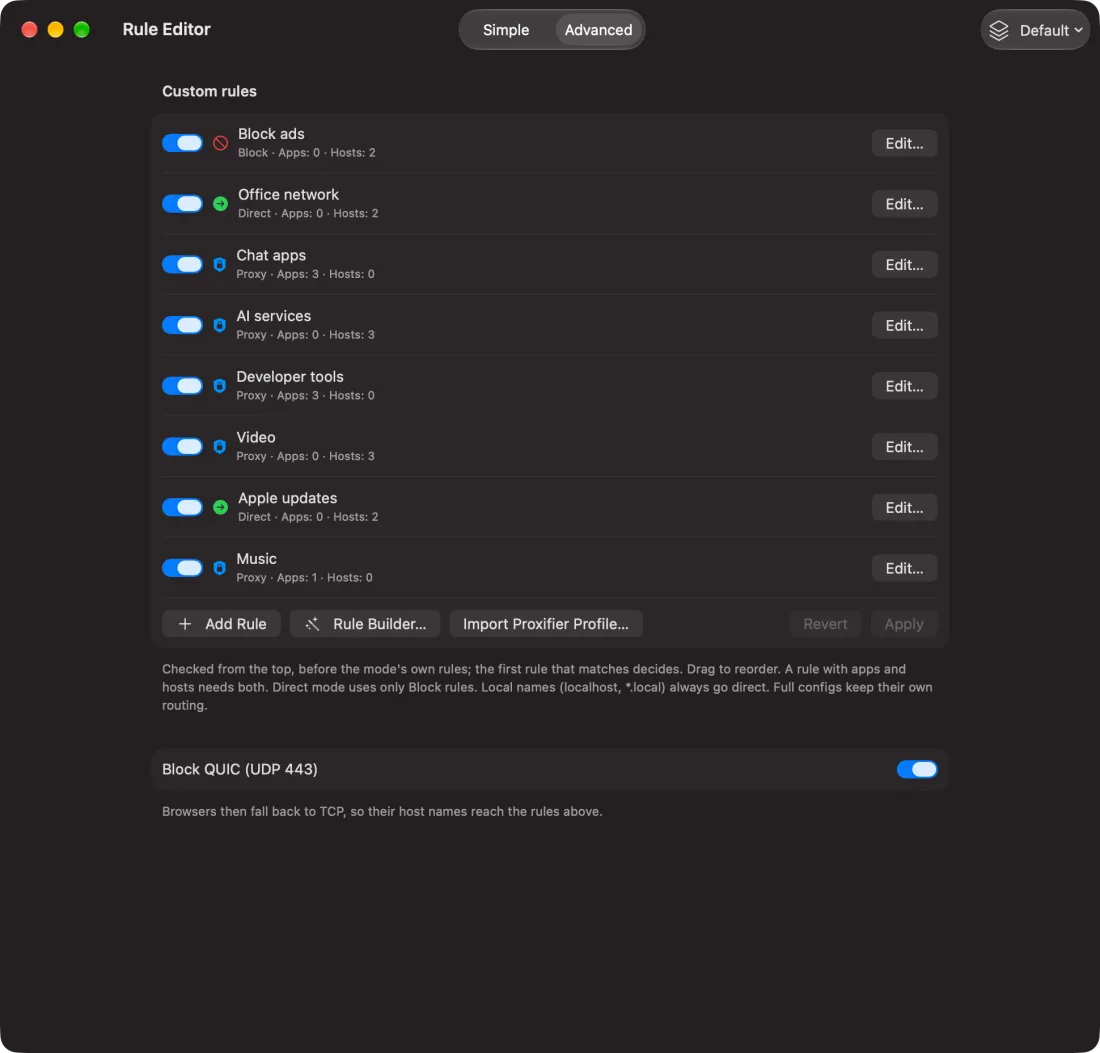
Send each app and site the way you want: Proxy, Direct or Block.

Nothing hidden.

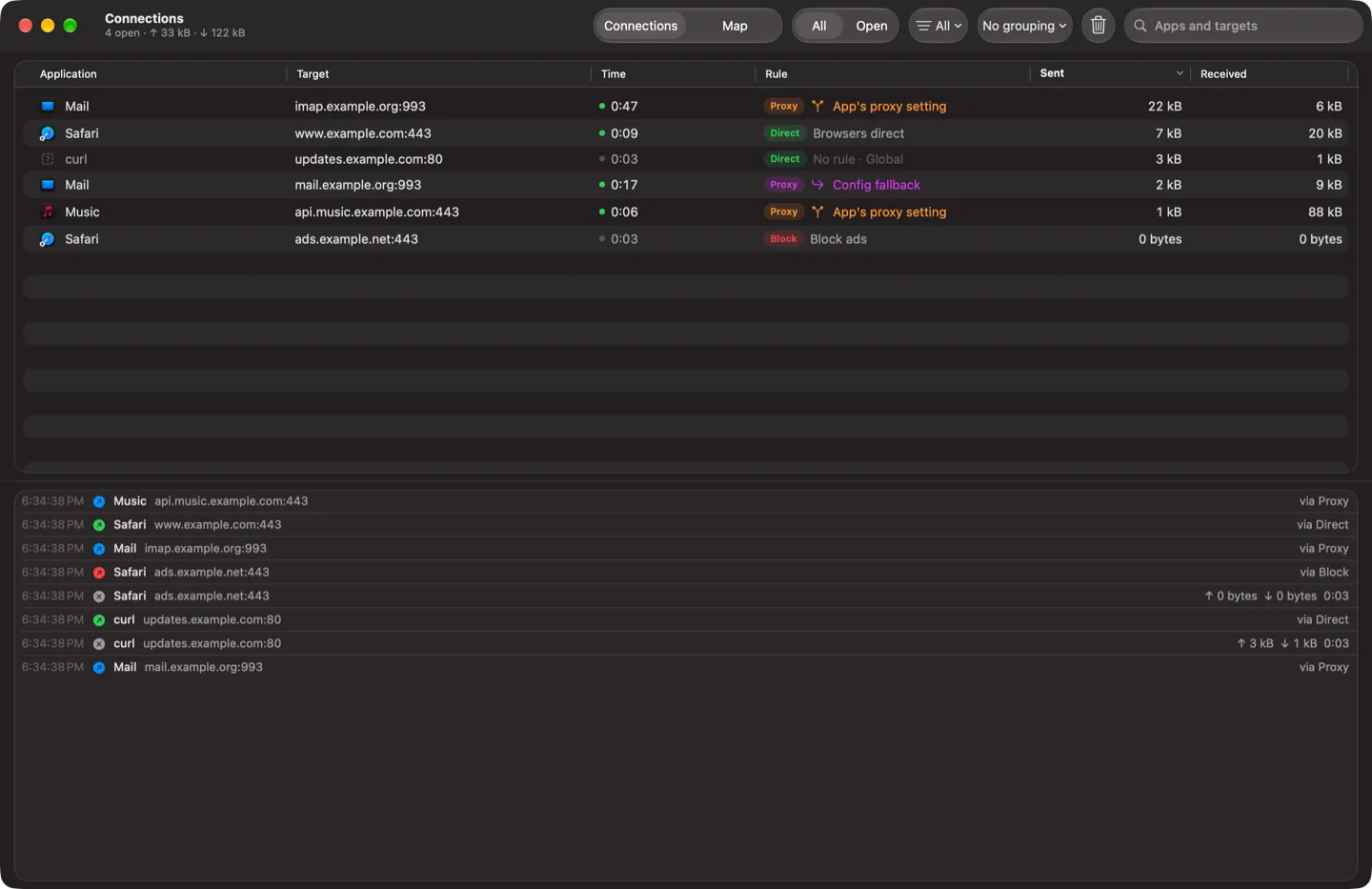
See every connection, the app that made it and the rule that sent it. Turn on TUN and the whole Mac goes through.

The V2Mac main window: servers from a subscription with their delay and speed
The Add Subscription sheetThe Rule Editor with Proxy, Direct and Block rulesThe Connections window: each app, its target and the rule that sent it

What they see.

Drag the lens across your traffic. It shows what your internet provider can read.

Frankfurt 01vless · raw · reality
Not connected

Each protocol hides you a different way

Without V2Mac, anyone on the path reads every site you open.

Secure Sandbox.

Beta

A room for every app.

Each app runs in its own mini VM, shut off from your Mac and from the other mini VMs.

Its own way out.

Every mini VM has its own server. Nothing it does reaches the internet any other way.

It sees only its room.

Inside, the app finds the place and time zone of its exit. Your Mac isn’t there.

Server down? Cut off.

If its server stops working, the apps lose the internet. They never fall back to your real connection.

You decide what it gets.

Before an app installs, you see what it asks for. Sound, the microphone and SSH keys ask again when the app uses them.

Still a Mac app.

Every app opens as its own Mac app, with its own window and Dock icon, in the colour of its mini VM.

Try it. Cut a server.

Nothing is downloaded until you open the sandbox for the first time.

About the sandbox
Firefox — Work
Blocked · nothing leaks
Chromium — Shopping
Blocked · nothing leaks
Terminal — Dev
Blocked · nothing leaks

🇩🇪 Frankfurt

86 ms

🇳🇱 Amsterdam

112 ms

🇫🇮 Helsinki

143 ms

~/Applications/V2Mac Sandbox

Firefox — Work
V2Mac
F
Firefox
Work
C
Chromium
Shopping
T
Terminal
Dev

Questions.

Is V2Mac a V2Ray client for Mac?

Yes. It runs Xray-core, the successor of V2Ray core, and reads V2Ray and Xray links and subscriptions.

Does it support VLESS REALITY and XTLS Vision?

Yes, from links and in the server editor, with TCP, WebSocket, gRPC, HTTPUpgrade, XHTTP and mKCP transports.

How do I proxy all apps, including ones without proxy settings?

Turn on TUN. Every app and every DNS lookup then goes through the connection.

Can I use it as a Proxifier replacement?

Yes. It has rules by app and host, imports from Proxifier, Clash, sing-box, v2rayN and Shadowrocket, and can block QUIC.

Can other devices on my network use it?

Yes. Turn on Allow connections from LAN in Settings → Proxy, ideally with a username and password, then point the other device at your Mac’s LAN address and port.

Does it work on Intel Macs or older macOS?

No. It needs macOS 26 or later on Apple Silicon.

Why does macOS say it can’t be opened?

The DMG is not notarized. Click Open Anyway in System Settings → Privacy & Security, or install with Homebrew: brew install --cask v2macapp/tap/v2mac.

Does V2Mac collect data?

No. There is no telemetry, and a problem report is only sent if you paste it into GitHub yourself.

How do I stop WebRTC and DNS leaks in my browser?

Use NoLeaker, a free Chrome and Firefox extension from the same project, with the proxy 127.0.0.1:10808.

How do I move my servers to another Mac?

Use Export Backup… and Restore Backup…. They live in ~/Library/Application Support/v2mac.

Your browser can still give you away.

WebRTC, QUIC, your time zone and your language can all betray you behind a proxy. NoLeaker is a free extension that stops them. Test your browser now.